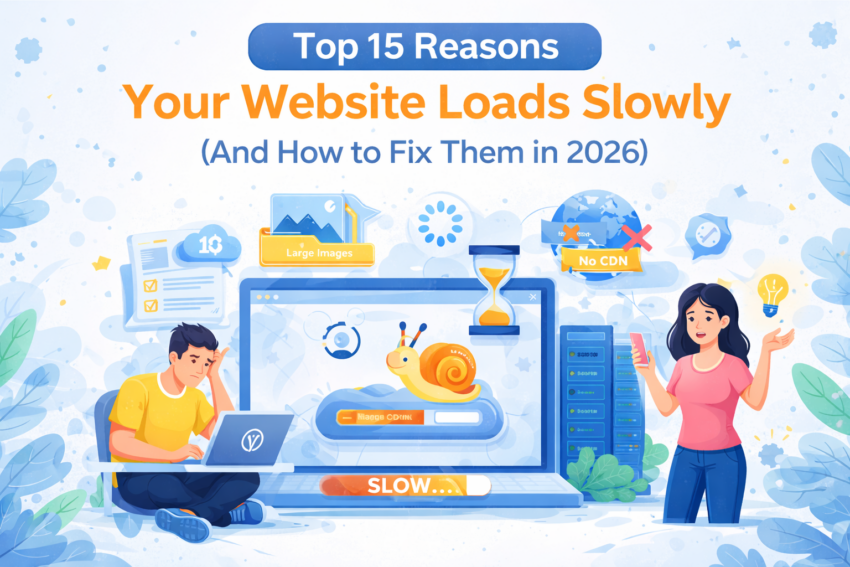
A slow website is one of the biggest reasons businesses lose customers online. In 2026, users expect webpages to load in less than three seconds. If your site takes longer, people simply leave — affecting your sales, SEO rankings, and overall reputation.
The good news? You can fix slow-loading websites quickly once you understand what’s causing the problem. This guide breaks down the top 15 reasons behind slow website performance and shows you exactly how to fix each one.
1. Your Web Hosting Is Too Slow
Your hosting server plays the biggest role in website speed. If your hosting provider uses outdated hardware, overcrowded servers, or poor optimization, your website will struggle to load fast.
How to Fix
- Upgrade to faster hosting like VPS or cloud hosting
- Ensure your provider offers SSD or NVMe storage
- Check if your hosting has high CPU/RAM resources
- Avoid extremely cheap hosting — it’s slow for a reason
2. Large Images Not Compressed
High-quality images are great, but if they are too large (2–5 MB each), your website will load painfully slow.
Fix
- Compress images using tools like TinyPNG
- Use WebP instead of JPG/PNG
- Resize images to proper dimensions
- Enable lazy loading
3. Too Many Plugins
If you are using WordPress, plugins can slow your whole website. Some plugins load unnecessary scripts, connect to external servers, and increase page load time.
Fix
- Remove outdated or unused plugins
- Avoid duplicate-function plugins
- Use lightweight alternatives
4. Heavy Theme or Template
Some themes come packed with sliders, animations, fonts, and large scripts. These make your site visually appealing but dramatically slow it down.
Fix
- Choose a lightweight theme
- Disable unnecessary theme features
- Minimize scripts generated by the theme
5. No Caching Enabled
Caching speeds up your website by storing a static version of your pages. Without caching, your server processes every request from scratch — slowing things down.
Fix
- Install a caching plugin
- Enable browser caching
- Use server-level caching if available
6. Render-Blocking CSS & JavaScript
When CSS or JavaScript loads before content, it delays page rendering.
Fix
- Minify and combine CSS/JS files
- Defer non-critical JavaScript
- Load CSS asynchronously
7. Too Many External Scripts
External resources like ad scripts, analytics, chat widgets, maps, and tracking tools slow your site.
Fix
- Remove unnecessary third-party scripts
- Load scripts after page load
- Use local hosting for some scripts
8. Poorly Optimized Database
Over time, your database gets filled with unnecessary data such as revisions, logs, and leftovers from plugins.
Fix
- Clean up your database
- Remove old revisions
- Optimize tables regularly
9. No CDN (Content Delivery Network)
If your website visitors come from different countries, loading from one server slows everything down.
Fix
- Enable CDN
- Serve images, CSS, JS through CDN
10. Too Many HTTP Requests
Every image, file, script, icon, or font is a request. More requests = slower website.
Fix
- Reduce images
- Limit fonts
- Combine files where possible
11. Slow Server Response Time (TTFB)
A slow server takes too long to respond when someone visits your site.
Fix
- Upgrade hosting
- Use caching
- Optimize database
- Enable CDN
12. Hotlinking
Hotlinking happens when other websites directly use your images. This eats your bandwidth and slows your site.
Fix
- Disable hotlinking in hosting panel
- Use watermark protection
13. Outdated PHP Version
Using an old PHP version makes your website slow and insecure.
Fix
- Upgrade to PHP 8.x
- Update plugins and themes
14. Excessive 301 Redirects
Too many redirects confuse the browser and slow the loading process.
Fix
- Minimize redirect chains
- Fix outdated URLs
15. Unoptimized Fonts
Google Fonts and custom fonts can take a long time to load if not optimized properly.
Fix
- Use fewer font variations
- Host fonts locally
- Preload essential fonts
How Website Speed Affects SEO
Google considers page speed a major ranking factor. Slow websites:
– Drop in search rankings
– Lose traffic
– Have higher bounce rates
– Convert fewer customers
Fast websites perform better in every metric.
How TigarHosting Helps You Get Faster Website Speed
- High-performance SSD/NVMe hosting
- Optimized servers for WordPress
- Free SSL certificate
- Advanced caching support
- Improved uptime and low latency
Final Thoughts
A slow website can damage your brand, kill customer trust, and hurt your revenue. Thankfully, speed optimization is easier than ever. By fixing the issues listed in this guide, you can dramatically improve your page speed and offer users a smooth, fast browsing experience.
Start optimizing today — your customers (and Google) will appreciate it.